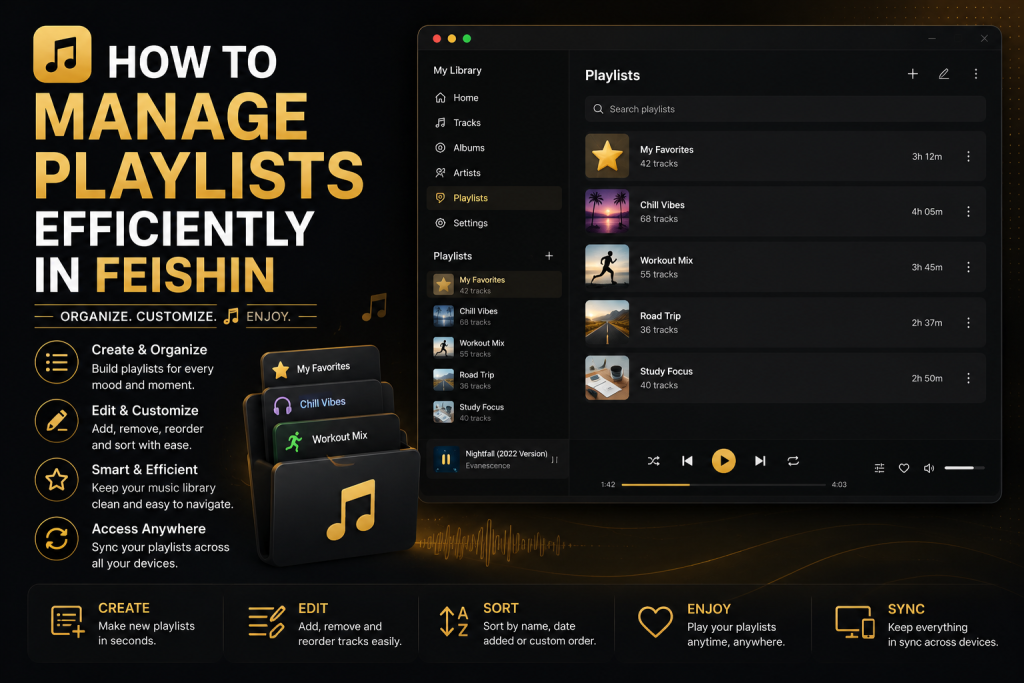
A well-organized playlist can completely transform the way you enjoy your music collection. Instead of searching for individual songs every time you want to listen, playlists allow you to group your favorite tracks into collections that match your mood, activity, or personal taste. Whether you’re creating a relaxing evening mix, an energetic workout playlist, or a carefully curated collection of your favorite albums, Feishin provides an excellent environment for managing playlists.
In this guide, you’ll learn how to organize playlists efficiently, avoid common mistakes, and use best practices that keep your music library clean, organized, and enjoyable.
Why Playlists Matter?
A music library with thousands of songs can quickly become overwhelming if everything is stored in one large collection. While Feishin’s search feature makes finding individual songs easy, playlists provide a more personal way to organize your favorite music.
Instead of relying on random playback, playlists allow you to create listening experiences that match specific situations. A playlist for working may contain calm instrumental tracks, while another for exercising might focus on energetic music with a faster tempo. Over time, playlists become an extension of your listening habits, helping you access your favorite songs without repeatedly searching for them.
Well-organized playlists also reduce decision fatigue. Rather than choosing songs one by one, you simply select a playlist and begin listening immediately.
Creating Playlists That You’ll Actually Use
One of the biggest mistakes many users make is creating too many playlists. It may seem like a good idea to create a separate playlist for every occasion, but dozens of nearly identical playlists quickly become difficult to manage.
Instead, focus on building playlists that serve a clear purpose. Think about how you actually listen to music throughout the week. You might have a morning playlist to help you start the day, a productivity playlist for work or studying, a workout playlist for the gym, and a relaxing collection for the evening.
By keeping each playlist meaningful, you’ll spend less time deciding what to play and more time enjoying your music.
Organize Playlists by Mood
One of the simplest and most effective ways to organize playlists is by mood rather than genre.
Genres often overlap, making it difficult to decide where a song belongs. A rock song might also fit into a workout playlist, while an acoustic track could work equally well for relaxing or studying.
Mood-based playlists are often more practical because they reflect how people actually choose music.
Some popular playlist categories include:
- Focus and Productivity
- Relaxing Evenings
- Morning Motivation
- Weekend Road Trips
- Workout Energy
- Rainy Day Music
- Instrumental Favorites
- Late Night Listening
These categories remain useful regardless of the musical genre.
Also Read: Feishin vs Finamp: Which Jellyfin Music Client Should You Choose?
Keep Playlists Focused
A playlist containing hundreds of songs may seem comprehensive, but extremely large playlists often lose their purpose.
Instead, aim to create playlists with a clear identity. If a playlist is intended for focused work, avoid adding songs that interrupt concentration. Likewise, an energetic workout playlist should maintain consistent momentum from beginning to end.
Regularly reviewing your playlists and removing songs that no longer fit helps maintain their quality over time.
Remember that a smaller playlist filled with carefully selected tracks usually provides a better listening experience than a massive collection with inconsistent music.
Use Temporary Queues for Short Sessions
Not every listening session needs a permanent playlist.
Feishin’s playback queue is perfect for temporary music sessions. If you’re simply listening while cleaning your room or working on a short project, adding songs to the queue is often a better choice than creating another playlist you’ll never use again.
Temporary queues keep your playlist collection uncluttered while still giving you complete control over what plays next.
This simple habit helps prevent your library from becoming filled with one-time playlists that are rarely opened again.
Keep Playlist Names Simple
Playlist names should be easy to recognize at a glance.
Rather than using long descriptive titles, choose names that immediately communicate their purpose.
For example, names such as “Focus,” “Workout,” “Favorites,” “Road Trip,” or “Evening Chill” are much easier to scan than lengthy titles containing unnecessary details.
Simple names also make searching easier, particularly if you maintain dozens of playlists.
Consistency is equally important. Choosing one naming style and using it throughout your collection creates a cleaner, more organized library.
Add Music Gradually
Many users create a new playlist and immediately add hundreds of songs.
A better approach is to build playlists gradually.
As you discover new music, ask yourself whether it truly belongs in one of your existing playlists. If it fits naturally, add it. If not, leave it out.
This approach keeps playlists fresh while preventing them from becoming overcrowded with songs you rarely listen to.
Over time, your playlists will evolve naturally and better reflect your actual listening habits.
Organize Your Music Library First
Playlist management becomes much easier when your music library itself is properly organized.
Ensure that your songs contain accurate metadata, including artist names, album titles, genres, release years, and album artwork. Clean metadata allows Feishin to display your collection correctly and makes finding songs much faster when adding them to playlists.
Poorly organized music files often result in duplicate artists, missing albums, and inconsistent naming, making playlist creation unnecessarily difficult.
Taking time to organize your library before building playlists saves countless hours later.
Review Your Playlists Regularly
Music preferences naturally change over time.
Songs you loved a year ago may no longer fit your current tastes, while new favorites deserve a place in your regular listening rotation.
Every few months, spend some time reviewing your playlists. Remove tracks you consistently skip and replace them with newer discoveries.
This simple habit keeps playlists feeling fresh and prevents them from becoming outdated.
Many music enthusiasts discover that regular playlist maintenance is just as important as organizing the library itself.
Sync Across Your Music Server
One of the biggest advantages of using Feishin with Jellyfin or Navidrome is that playlists are connected to your self-hosted music server rather than being stored only on one computer.
This means that once a playlist is created, it remains available whenever you access the same server from another supported client.
Because everything is stored centrally, your listening experience stays consistent without requiring you to recreate playlists on multiple devices.
For users with several computers or operating systems, this is a major advantage.
Also Read: Feishin System Requirements and Supported Operating Systems
Avoid Duplicate Playlists
As your music collection grows, it’s surprisingly easy to create multiple playlists with almost identical content.
For example, you may accidentally end up with separate playlists called “Workout,” “Gym,” and “Running,” each containing nearly the same songs.
Instead of maintaining several similar collections, combine them into one carefully organized playlist.
Reducing duplication makes your library easier to navigate and eliminates unnecessary maintenance.
Use Album Listening Alongside Playlists
Although playlists are convenient, don’t overlook the value of listening to complete albums.
Many artists carefully arrange tracks to create a specific flow and storytelling experience. Feishin’s beautiful album view makes exploring full albums just as enjoyable as using playlists.
A balanced listening habit—switching between curated playlists and complete albums—helps you appreciate your music collection more fully.
Best Practices for Long-Term Playlist Management
The best playlist collections are not necessarily the largest—they’re the most useful.
Focus on creating playlists that genuinely match your daily listening habits rather than trying to organize every possible genre or situation. Keep names simple, review playlists regularly, avoid unnecessary duplicates, and use temporary queues for one-time sessions.
As your library grows, these habits become increasingly valuable and help maintain a clean, organized music experience.
Conclusion
Managing playlists efficiently in Feishin is about more than simply grouping songs together. A thoughtfully organized playlist library helps you find the right music faster, reduces unnecessary browsing, and creates a more enjoyable listening experience every day. By keeping playlists focused, organizing them around moods or activities, maintaining accurate music metadata, and using temporary queues for short sessions, you can build a library that stays clean and easy to navigate as it grows.
FAQs
Does Feishin support playlists?
Yes. Feishin fully supports playlist creation and management through compatible music servers such as Jellyfin and Navidrome.
Where are playlists stored?
Playlists are generally stored by your connected music server, allowing them to remain available across supported clients and devices.
Should I create lots of playlists?
Quality is usually more important than quantity. A smaller number of carefully organized playlists is easier to manage and provides a better listening experience.
Can I edit playlists later?
Yes. You can add new songs, remove tracks, and reorganize playlists whenever your music preferences change.
Are playlists better than using the playback queue?
Both serve different purposes. Playlists are ideal for long-term collections you revisit often, while the playback queue works best for temporary listening sessions.


One Response