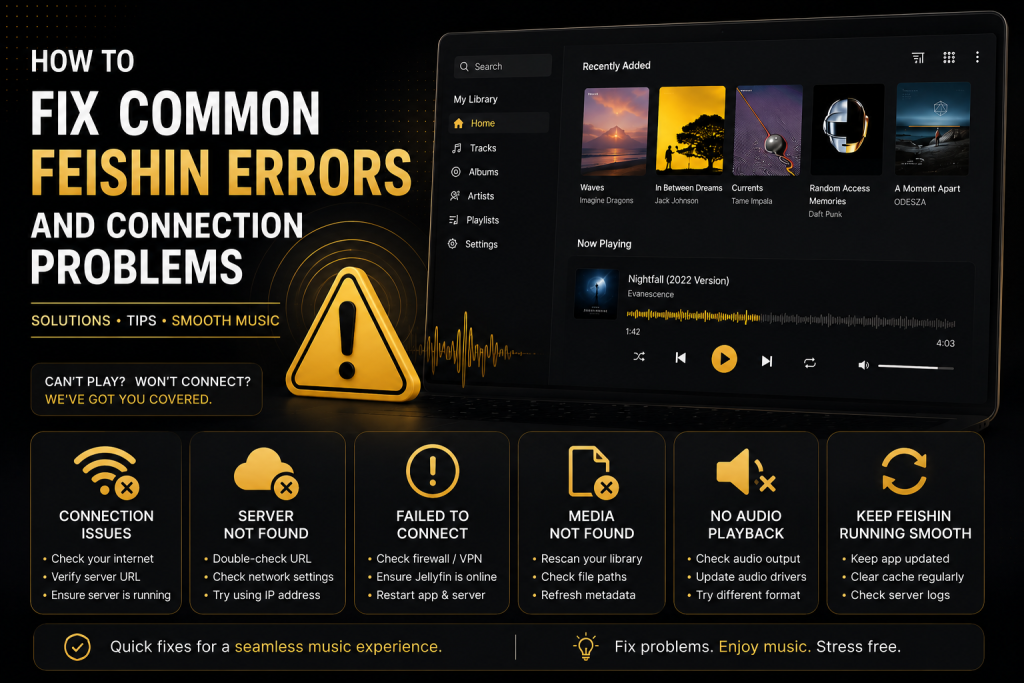
Feishin is one of the most popular self-hosted music players for users who want a modern desktop application for streaming their personal music libraries. It works seamlessly with media servers like Jellyfin, Navidrome, and other Subsonic-compatible servers while offering a beautiful interface and excellent playback features.
Although Feishin is reliable, users occasionally experience connection errors, login failures, playback problems, or synchronization issues. Fortunately, most of these problems can be solved within a few minutes.
This guide explains the most common Feishin errors, why they happen, and how to fix them.
Why Does Feishin Show Connection Errors?
Most connection problems occur because Feishin cannot communicate with your media server.
Common reasons include:
- Incorrect server URL
- Offline Jellyfin or Navidrome server
- Firewall blocking connections
- SSL certificate problems
- Reverse proxy misconfiguration
- Wrong login credentials
- Network connectivity issues
Before trying advanced troubleshooting, verify that your server is actually online.
Open the server URL in your web browser. If the web interface doesn’t load, the issue is with your server—not Feishin.
Feishin Cannot Connect to Server
This is the most common issue users encounter.
Symptoms
- “Unable to connect”
- “Connection failed”
- Endless loading screen
- Server unavailable
- How to Fix It
- Verify the Server URL
Many users accidentally enter the wrong address.
Examples:
or
Avoid:
- Missing ports
- Extra spaces
- Incorrect protocols (HTTP vs HTTPS)
- Check if the Server Is Running
Make sure your media server is active.
For example:
- Jellyfin service running
- Navidrome container running
- Docker container healthy
Restart the server if necessary.
Test from Browser
Open your server URL in Chrome or Firefox.
If the browser cannot connect, Feishin won’t connect either.
Login Failed or Authentication Error
Sometimes Feishin connects successfully but refuses to log in.
Causes
- Incorrect username
- Wrong password
- Two different server accounts
- Expired credentials
Double-check:
Username spelling
Password
Server selection
If necessary, reset your password from the server’s web dashboard.
Also Read: Best Audio Settings in Feishin for High-Quality Music Playback
SSL Certificate Errors
Many users host servers with HTTPS.
Feishin may display SSL-related messages such as:
- Certificate invalid
- Self-signed certificate
- SSL handshake failed
- Why It Happens
Self-signed certificates are not trusted by default.
Solutions
Install a trusted SSL certificate.
Renew expired certificates.
Verify reverse proxy configuration.
Ensure the server clock is correct.
Music Will Not Play
Sometimes albums appear correctly but playback never starts.
Possible causes include:
- Unsupported audio format
- Server transcoding disabled
- Network interruption
- Corrupted music files
Try:
- Playing another album
- Refreshing the library
- Restarting Feishin
- Checking server logs
If one file fails but others play normally, that file may be damaged.
Library Does Not Sync
New songs sometimes do not appear inside Feishin.
Fix
Refresh the music library on your server first.
For example:
- Scan libraries in Jellyfin.
- Refresh Navidrome.
After scanning, refresh Feishin.
Album Artwork Missing
Missing cover art is another common complaint.
Possible reasons include:
- Missing embedded artwork
- Incorrect folder structure
- Metadata problems
- Cache issues
- Fix
Ensure your music files contain proper album artwork.
Alternatively, include:
- cover.jpg
- folder.jpg
inside each album folder.
After updating artwork, refresh the library.
Conclusion
Most Feishin errors are straightforward to diagnose once you identify whether the issue originates from the application, the media server, or the network. Verifying your server URL, ensuring your media server is running, keeping software up to date, and maintaining a reliable network connection will resolve the majority of connection and playback problems.
If problems persist after trying the solutions above, reviewing your server logs and configuration can help pinpoint the underlying cause. With proper setup and regular maintenance, Feishin provides a fast, reliable, and enjoyable way to stream your self-hosted music collection.
FAQs
Why can’t Feishin connect to my server?
Usually because the server URL is incorrect, the server is offline, or a firewall is blocking the connection.
Does Feishin work with Jellyfin?
Yes. Feishin fully supports Jellyfin and provides a modern interface for browsing and streaming your personal music collection.
Why is my music buffering?
Buffering is commonly caused by slow internet, limited server resources, or network congestion.
How do I refresh my library?
Refresh or rescan your music library from your media server first, then reload Feishin.
Does Feishin support HTTPS?
Yes. Feishin supports secure HTTPS connections. Ensure your SSL certificate is valid and correctly configured.