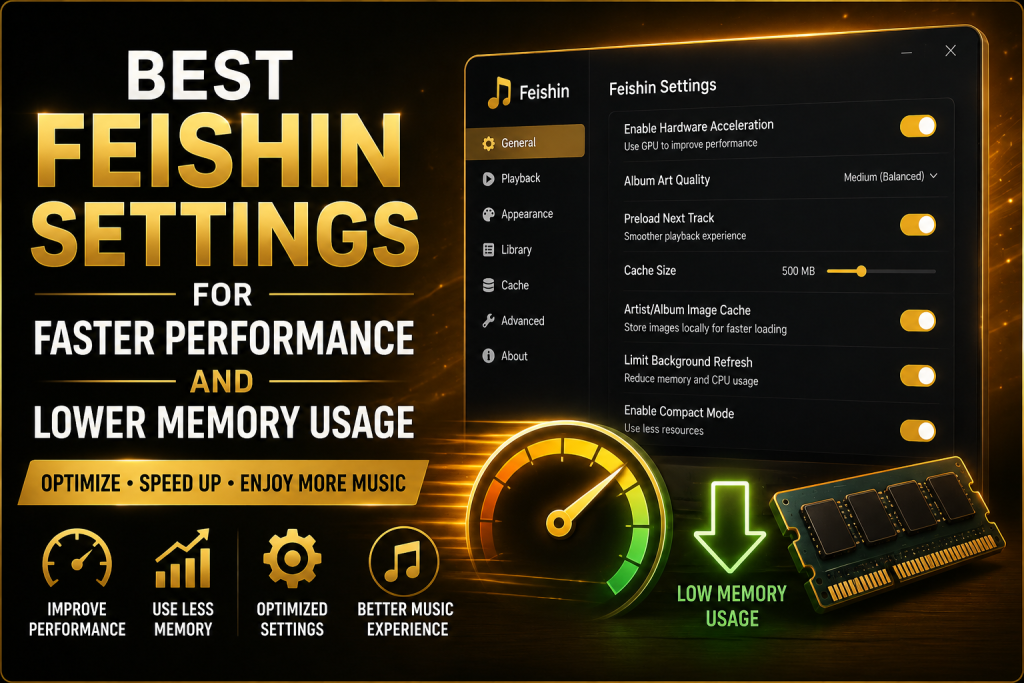
If you use Feishin as your primary desktop music player, you already know how clean and modern its interface feels. Whether you’re connected to a Jellyfin, Navidrome, or another Subsonic-compatible server, Feishin delivers an excellent music streaming experience. However, like any desktop application, its performance can vary depending on your device, server configuration, and library size.
Many users with thousands of songs or older computers notice slower loading times, delayed album artwork, or higher memory consumption after running the application for long periods. Fortunately, most of these issues can be minimized with a few simple adjustments.
In this guide, you’ll discover the best Feishin settings for faster performance and lower memory usage, along with practical optimization tips that will help your music library load more quickly, use fewer system resources, and provide a smoother listening experience.
Why Performance Optimization Matters
While modern computers are powerful enough to run music applications effortlessly, optimizing Feishin still offers several advantages.
A properly optimized setup can provide:
- Faster startup times
- Lower RAM consumption
- Reduced CPU usage
- Quicker navigation between artists and albums
- Faster search results
- Better responsiveness with large libraries
- More stable music streaming
- Longer battery life on laptops
Instead of relying on hardware upgrades, optimizing the software often delivers noticeable improvements.
Understand How Feishin Uses System Resources
Before changing any settings, it’s helpful to understand what affects Feishin’s performance.
Feishin is a client application, meaning it retrieves information from your music server rather than storing your entire music collection locally. Its performance depends on several factors, including:
- The speed of your media server
- The size of your music library
- Network quality
- Album artwork resolution
- Metadata quality
- Local cache size
- Computer hardware
If one of these components is slow, the entire experience may feel less responsive.
1. Always Use the Latest Version of Feishin
One of the easiest ways to improve performance is to keep Feishin updated.
Every new release typically includes:
- Bug fixes
- Memory optimizations
- Faster interface rendering
- Improved compatibility
- Better server communication
Developers continuously optimize the application, so running an outdated version may cause unnecessary performance problems.
Check for updates regularly and install stable releases whenever possible.
Also Read: How to Connect Feishin to a Jellyfin Server
2. Choose a Fast Music Server
Since Feishin streams data from your server, server performance has a major impact on speed.
Navidrome
Navidrome is one of the most lightweight music servers available.
Benefits include:
- Low memory usage
- Fast indexing
- Quick search responses
- Excellent compatibility with Feishin
It is an excellent choice for users focused entirely on music streaming.
Jellyfin
Jellyfin is another excellent option, especially if you also manage movies and TV shows.
To improve its performance:
- Disable unused libraries.
- Remove unnecessary plugins.
- Keep the database clean.
- Scan your library only when needed.
A well-maintained server helps Feishin respond much faster.
3. Organize Your Music Library Properly
A disorganized library slows down indexing and browsing.
Use a clean folder structure like this:
Music/
   Artist/
      Album/
         01 - Song.mp3
         02 - Song.mp3
Best Feishin Settings for Faster Performance and Lower Memory Usage
Avoid:
- Random filenames
- Duplicate albums
- Mixed artist folders
- Missing album names
A consistent structure helps both your media server and Feishin display content correctly.
4. Clean Your Metadata
Metadata is just as important as folder organization.
Incorrect or incomplete tags can result in:
- Duplicate artists
- Missing albums
- Incorrect sorting
- Slow searches
Every track should include:
- Title
- Artist
- Album
- Album Artist
- Track Number
- Genre
- Release Year
Applications like MusicBrainz Picard or Mp3tag can help standardize your music collection before importing it into your server.
5. Reduce Album Artwork Resolution
Large album artwork is one of the most overlooked causes of high memory usage.
Many downloaded albums include images that are:
- 3000 × 3000 pixels
- 5000 × 5000 pixels
- Even larger
These images consume more memory than necessary.
For most users, artwork sized between 600 × 600 and 1000 × 1000 pixels provides excellent quality while keeping memory usage low.
6. Keep the Music Cache Under Control
Feishin caches certain information to speed up browsing.
Caching improves performance because frequently accessed data doesn’t need to be downloaded repeatedly.
However, over time the cache can become unnecessarily large.
Occasionally clearing cached files can:
- Free storage space
- Improve responsiveness
- Remove outdated artwork
- Refresh corrupted cache entries
Only clear the cache if you notice slow loading or outdated content.
7. Avoid Running Too Many Background Applications
Even though Feishin is lightweight, every application competes for system resources.
Programs that consume memory include:
- Web browsers with many tabs
- Video editing software
- Games
- Virtual machines
Closing unnecessary applications allows Feishin to access more available RAM and CPU resources.
8. Store Your Music on an SSD
If your media server runs on a traditional hard drive, loading large libraries may take longer.
Solid-state drives (SSDs) provide:
- Faster file access
- Quicker database searches
- Reduced loading times
- Better overall responsiveness
If possible, keep both your music library and server database on SSD storage.
9. Improve Network Performance
Feishin depends on your network whenever it retrieves songs, playlists, or album information.
For the best performance:
- Use Ethernet instead of Wi-Fi whenever possible.
- Place your server near your router.
- Avoid congested wireless channels.
- Upgrade older networking equipment if necessary.
A stable connection reduces delays while browsing your music collection.
10. Avoid Excessive Library Scans
Media servers constantly scanning your music folders consume processing power.
Instead of scanning continuously:
- Scan only after adding new music.
- Schedule automatic scans during off-hours.
- Avoid manually rescanning multiple times in a row.
This leaves more resources available for streaming and browsing.
12. Keep Playlists Organized
Thousands of oversized playlists can slightly slow navigation.
Organize playlists into meaningful categories such as:
- Favorites
- Workout
- Relax
- Jazz
- Classical
Removing duplicate or unused playlists also keeps your library easier to navigate.
12. Restart Feishin Occasionally
Like many desktop applications, memory usage can gradually increase during extended sessions.
If you’ve kept Feishin open for several days, restarting it can:
- Refresh the interface
- Clear temporary memory
- Reload cached data
- Improve responsiveness
A quick restart often resolves minor slowdowns.
13. Keep Your Operating System Updated
Operating system updates frequently improve:
- Graphics performance
- Memory management
- Driver compatibility
- Network efficiency
Keeping Windows, Linux, or macOS updated ensures Feishin can take advantage of these improvements.
Also Read: How to Manage Playlists Efficiently in Feishin
14. Disable Unnecessary Startup Programs
Many applications launch automatically when your computer starts.
Too many startup programs reduce available memory before Feishin even opens.
Disable software you rarely use from launching automatically to improve overall system responsiveness.
15. Maintain a Healthy Server Database
Over time, media server databases can accumulate outdated information.
Regular maintenance helps improve performance.
Tasks include:
- Removing missing files
- Refreshing metadata
- Cleaning duplicate entries
- Optimizing database indexes
A healthy database responds much faster to Feishin’s requests.
Common Performance Issues and Solutions
Feishin Opens Slowly
Possible Causes
- Large music library
- Slow storage
- Server overload
- Too many startup programs
Solution
Move your library to an SSD, optimize your server, and reduce unnecessary startup applications.
High Memory Usage
Possible Causes
- Very large album artwork
- Long application sessions
- Massive music collections
Solution
Resize album artwork, restart Feishin occasionally, and keep the application updated.
Slow Album Loading
Possible Causes
- Weak network
- Slow server
- Oversized artwork
Solution
Improve network stability, optimize your server, and reduce artwork resolution.
Slow Search Results
Possible Causes
- Poor metadata
- Duplicate songs
- Outdated database
Solution
Clean your metadata, remove duplicates, and refresh the server database.
Final Thoughts
Feishin already offers a fast and enjoyable music streaming experience, but a few thoughtful optimizations can make it even better. Keeping the application updated, using a lightweight media server, organizing your music library, maintaining clean metadata, and avoiding oversized album artwork all contribute to lower memory usage and faster performance.
Whether you’re running Feishin on a high-end desktop or an older laptop, these best practices will help you get the most out of your self-hosted music setup. By combining an optimized client with a well-maintained server, you can enjoy quicker loading times, smoother navigation, and a more reliable listening experience every day.
FAQs
Which media server works best with Feishin?
Navidrome is often preferred for music-only libraries because of its speed and low resource usage. Jellyfin is another excellent choice, especially if you also manage movies and TV shows.
Does album artwork affect memory usage?
Yes. High-resolution artwork consumes additional RAM and can slow down browsing. Using moderately sized cover images improves performance without sacrificing visual quality.
Will using an SSD improve Feishin?
Absolutely. SSDs reduce loading times for both your media server and music library, making Feishin feel much more responsive.
Should I scan my library every day?
Only if you regularly add new music. Otherwise, scanning only when needed reduces server workload and keeps playback smooth.
Does a faster internet connection improve Feishin?
If you’re accessing a remote server, yes. A stable, high-speed connection reduces buffering and improves the loading speed of albums, playlists, and artwork.