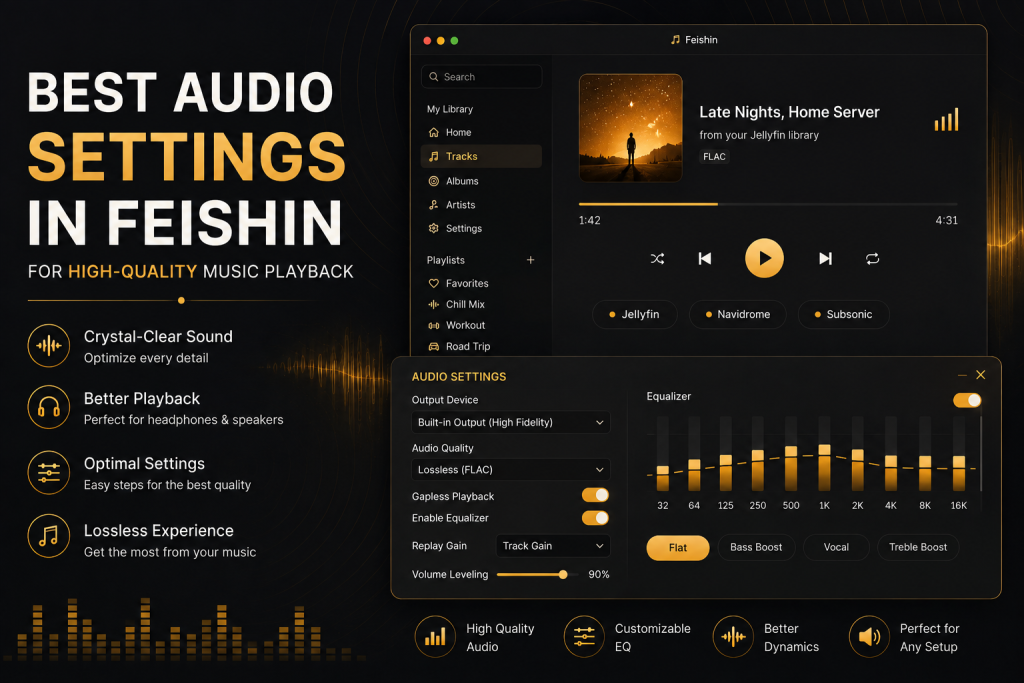
Whether you’re listening through studio headphones, desktop speakers, or a home audio system, the quality of your music depends on more than just the songs in your library. Your playback settings play a significant role in how every instrument, vocal, and beat is reproduced.
Feishin has become a favorite desktop music player among users who host their own music collections using platforms like Navidrome and Jellyfin. Its clean interface, fast performance, and modern design make it an excellent choice for managing large music libraries. However, many users never explore the audio settings that can noticeably improve their listening experience.
In this guide, we’ll explore the best audio settings in Feishin, explain why they matter, and provide practical tips for achieving high-quality playback.
Why Audio Settings Matter
Many people assume that installing a music player is enough to enjoy excellent sound quality. In reality, the player, your music files, output device, and playback settings all work together to determine the final listening experience.
Even if you own premium headphones, poor audio settings can reduce clarity and detail. On the other hand, properly configured playback allows your equipment to perform at its best.
Good audio settings can help you:
- Produce cleaner sound.
- Reduce unnecessary distortion.
- Preserve dynamic range.
- Improve instrument separation.
- Enjoy more natural vocals.
- Experience richer bass and clearer treble.
While Feishin keeps its interface simple, understanding a few key playback concepts can make a noticeable difference.
Understanding Audio Quality
Before changing settings, it’s helpful to understand what influences audio quality.
Several factors contribute to how music sounds:
- File format
- Bitrate
- Sample rate
- Bit depth
- Audio hardware
- Headphones or speakers
- Digital processing
Improving only one of these factors rarely transforms your listening experience. Instead, good sound comes from optimizing your entire playback chain.
Think of it like photography. A professional camera cannot produce great images with a poor-quality lens. Similarly, lossless music files won’t reach their full potential if the playback settings or hardware limit performance.
Start With High-Quality Music Files
The quality of your music library has a greater impact than almost any software setting.
If your collection contains heavily compressed audio files, changing playback settings alone cannot restore the missing detail.
For the best listening experience, consider using higher-quality formats whenever possible.
Recommended formats include:
- FLAC
- ALAC
- WAV
- AIFF
These formats preserve all the information from the original recording and are ideal for users who prioritize sound quality.
If storage space is limited, high-bitrate AAC or MP3 files can still provide excellent results for everyday listening.
Whenever possible, avoid extremely low-bitrate files because they often introduce audible compression artifacts.
Choosing the Right Audio Output Device
Feishin can only reproduce sound as accurately as the hardware connected to your computer.
For the best experience, use:
- Dedicated headphones
- Quality bookshelf speakers
- External DACs
- USB audio interfaces
- Hi-Fi amplifiers
Built-in laptop speakers are convenient but usually cannot reproduce the full frequency range present in modern recordings.
If you’re using Bluetooth headphones, choose codecs that support higher-quality audio whenever your device allows it.
Wired connections generally provide more stable playback with lower latency and maximum audio fidelity.
Adjust Playback Volume Correctly
One common mistake is listening at maximum software volume while also increasing hardware volume to its highest level.
This can sometimes introduce distortion, especially when additional digital processing is involved.
A better approach is to:
- Keep Feishin’s playback volume near its default level.
- Adjust your amplifier or headphone volume separately.
- Increase volume gradually until it reaches a comfortable listening level.
Maintaining balanced gain throughout your audio chain helps preserve clarity and reduces clipping.
Also Read: How to Fix Common Feishin Errors
Understanding Sample Rate and Bit Depth
Although many users never change these settings, understanding them helps explain how digital audio works.
Sample Rate
Sample rate refers to how many times audio is measured every second.
Common values include:
- 44.1 kHz
- 48 kHz
- 96 kHz
- 192 kHz
For most music collections, 44.1 kHz remains the standard because it matches the format used for audio CDs.
Higher sample rates may be useful in professional production environments but don’t always produce noticeable improvements during normal listening.
Bit Depth
Bit depth determines the amount of detail stored in each audio sample.
Common values include:
- 16-bit
- 24-bit
Most commercial music is mastered using these standards.
Higher bit depth provides greater dynamic range, which is particularly beneficial for recordings with quiet passages and large volume differences.
Enable Gapless Playback
Many albums are designed to flow continuously from one track to the next.
Live concerts, classical music, concept albums, and DJ mixes often lose their intended listening experience if small pauses occur between songs.
Gapless playback eliminates these interruptions by transitioning smoothly between tracks.
Whenever available, enable gapless playback in Feishin to maintain continuous playback exactly as intended by the artist.
Albums such as live performances become significantly more enjoyable when every transition remains seamless.
Organize Your Library for Better Playback
A well-organized music library improves more than navigation.
Accurate metadata helps Feishin correctly identify:
- Albums
- Artists
- Genres
- Track order
- Disc numbers
This ensures albums play in the intended sequence while making it easier to browse your collection.
Whenever you add new music, verify that:
- Track numbers are correct.
- Album titles match.
- Artist names remain consistent.
- Album artwork is present.
- Duplicate tracks are removed.
Maintaining a clean library prevents playback confusion and creates a much smoother listening experience.
Optimize Your Listening Environment
Even the best playback settings cannot overcome a noisy environment.
Consider where you usually listen to music.
Simple improvements can noticeably enhance audio quality:
- Reduce background noise.
- Position speakers correctly.
- Sit at an equal distance from both speakers.
- Avoid placing speakers directly against walls.
- Use comfortable headphones that fit properly.
A quiet listening environment often provides a greater improvement than purchasing expensive equipment.
Keep Feishin Updated
Software updates often include improvements to playback stability, performance, and compatibility.
Running the latest version of Feishin helps ensure you benefit from:
- Bug fixes
- Performance optimizations
- Improved device compatibility
- Better stability
- New playback features
Checking for updates periodically is a simple habit that helps maintain a reliable listening experience.
Recommended Equalizer Settings
An equalizer (EQ) allows you to adjust different frequency ranges to match your personal preferences and the type of music you’re listening to. While many listeners leave EQ disabled for the most accurate sound, others enjoy subtle adjustments that enhance certain genres.
Flat EQ (Recommended for Most Users)
A flat equalizer keeps all frequencies at their default levels, preserving the original mix created by the artist and audio engineer.
This setting is ideal for:
- FLAC collections
- Studio headphones
- Classical music
- Jazz
- Acoustic recordings
- Audiophile listening
- Bass Boost
If you enjoy electronic dance music, hip-hop, or pop, a gentle bass boost can add more impact without overpowering the rest of the mix.
Avoid increasing bass too much, as excessive low frequencies can make vocals and instruments sound muddy.
Vocal Enhancement
Listeners who primarily enjoy podcasts, acoustic music, or vocal performances may prefer slightly emphasizing the mid-range frequencies.
This makes voices sound clearer while keeping instruments balanced.
Treble Enhancement
A small increase in higher frequencies can make music feel more detailed and spacious.
However, too much treble may introduce listening fatigue during long sessions.
A subtle adjustment usually produces the best results.
Should You Enable Audio Enhancements?
Many operating systems include built-in sound enhancements such as:
- Bass Boost
- Virtual Surround
- Loudness Equalization
- Spatial Audio
- Dynamic Compression
Although these features can make music sound louder, they don’t always improve sound quality.
If your goal is accurate playback, keeping unnecessary enhancements disabled is often the better choice.
Allow Feishin to play your music without excessive digital processing whenever possible.
Also Read: Feishin Keyboard Shortcuts and Productivity Tips
Optimize Playback With Navidrome or Jellyfin
One of Feishin’s biggest strengths is its compatibility with self-hosted music servers.
If you’re using Navidrome or Jellyfin, a few simple practices can improve your listening experience.
Keep Your Library Organized
A clean music library helps Feishin display albums correctly.
Before scanning your collection:
- Remove duplicate tracks.
- Correct album names.
- Verify artist information.
- Add album artwork.
- Ensure track numbers are accurate.
Use Lossless Files
If storage space allows, store your music collection in FLAC rather than low-bitrate MP3 files.
Lossless audio preserves every detail from the original recording, giving Feishin the highest-quality source to play.
Maintain a Stable Network
If your music library is stored on a home server or NAS, playback quality depends on a reliable network connection.
A wired Ethernet connection generally offers:
- Faster transfers
- Lower latency
- Fewer interruptions
- More stable streaming
Wi-Fi also works well for most users, but a strong signal is important when streaming large lossless audio files.
Headphones vs Speakers
Different listening devices benefit from slightly different approaches.
Using Headphones
For headphones:
- Use a comfortable listening volume.
- Avoid unnecessary sound enhancements.
- Keep EQ adjustments minimal.
- Choose high-quality audio files.
Closed-back headphones provide excellent isolation, while open-back models often produce a wider soundstage in quiet environments.
Using Desktop Speakers
Speaker placement significantly affects sound quality.
For the best results:
- Position speakers at ear level.
- Form an equal triangle between you and both speakers.
- Leave some space between the speakers and the wall.
- Reduce nearby reflective surfaces if possible.
Proper positioning can noticeably improve stereo imaging and overall clarity.
Reduce Playback Problems
If you experience occasional playback issues, several simple checks can help.
Music Stutters or Buffers
Possible causes include:
- Slow network connection.
- Busy home server.
- Background downloads.
- Storage device limitations.
Restarting the server or checking network performance often resolves these issues.
Missing Album Artwork
If artwork does not appear:
- Refresh your library.
- Verify metadata.
- Ensure artwork is embedded or stored correctly.
- Rescan the music folder.
- Duplicate Albums
Duplicate albums usually result from inconsistent metadata.
Check:
- Album title
- Album Artist
- Release year
- Disc number
Final Thoughts
Great audio quality starts with a combination of well-organized music, high-quality source files, reliable hardware, and sensible playback settings. While Feishin keeps its interface clean and straightforward, taking a few minutes to optimize your setup can make a noticeable difference in your listening experience.
Rather than relying on aggressive audio enhancements, focus on preserving the original recording. Use lossless music where possible, maintain accurate metadata, keep your library organized, and update Feishin regularly. These simple habits help ensure that every album sounds its best, whether you’re listening through headphones, desktop speakers, or a dedicated home audio system.
FAQs
Does Feishin improve audio quality?
Feishin is designed to provide reliable, high-quality playback, but it does not artificially enhance poorly recorded or heavily compressed audio. The final listening experience depends on the quality of your music files, audio hardware, and playback configuration.
Which audio format provides the best quality?
Lossless formats such as FLAC, ALAC, WAV, and AIFF preserve the original recording without compression losses. They are excellent choices for users who prioritize audio fidelity.
Should I use an equalizer?
That depends on your preferences. Many listeners enjoy a flat equalizer for the most accurate sound, while others make small adjustments to better suit specific genres or headphones. Avoid extreme settings, as they can make music sound unnatural.